

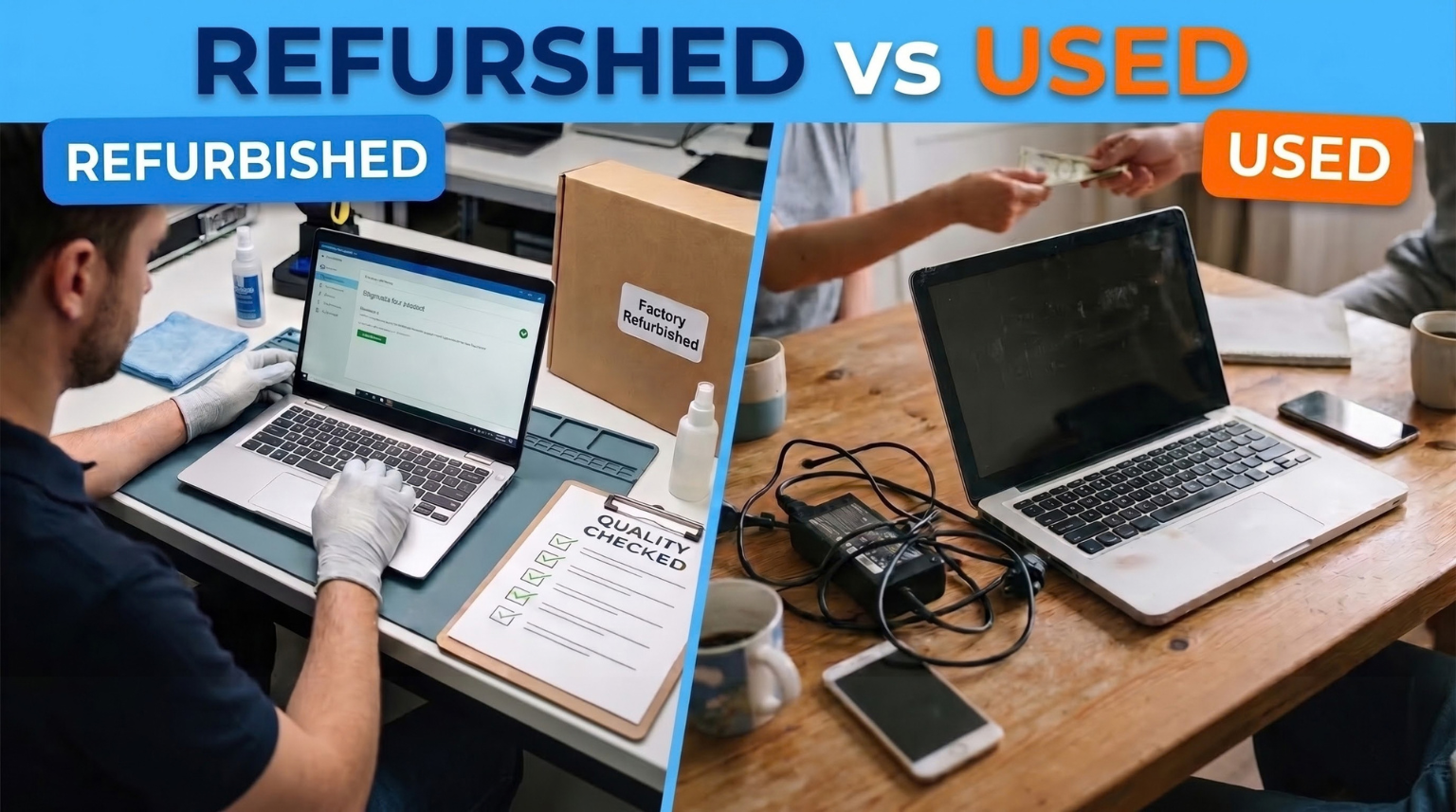
Buying a laptop on a budget can be challenging when you want reliable performance, good specifications, and long-term value. While brand-new laptops can be expensive, refurbished and used laptops offer alternative options for students, working professionals, freelancers, and businesses.
However, choosing between a refurbished vs used laptop requires more than comparing prices. Factors such as hardware condition, testing, repairs, battery health, warranty coverage, and after-sales support can make a significant difference.
In this comprehensive guide, we will explain the difference between refurbished and used laptops, compare their advantages and disadvantages, discuss pricing considerations, and help you choose the right laptop for your needs.
What Is a Refurbished Laptop?
A refurbished laptop is a previously owned, returned, or pre-used device that has undergone inspection and testing before being offered for resale. Depending on its condition, the laptop may also be cleaned, repaired, or fitted with replacement components.
The refurbishment process varies between sellers. Some perform comprehensive hardware testing, while others may carry out only basic checks. Therefore, it is important to understand what the seller actually does before listing a laptop as refurbished.
Refurbished laptops are often considered by buyers who want to balance affordability with the reassurance of a documented inspection process.
Key Features of Refurbished Laptops
- Previously owned, returned, or pre-used devices.
- Generally inspected and tested as part of the refurbishment process.
- May include repaired or replaced components.
- May come with a seller warranty, depending on the product.
- Available in different specifications, conditions, and price ranges.
What Is a Used Laptop?
A used laptop is a device that has previously belonged to an individual, business, or organization and is being sold again.
Used laptops can be purchased from individual sellers, local computer shops, or online marketplaces. Their condition depends on previous usage, maintenance, and storage.
Unlike professionally refurbished devices, used laptops may not have undergone a documented inspection or repair process before resale.
Key Features of Used Laptops
- Previously owned and used by another person or organization.
- May be sold without professional refurbishment.
- Physical condition and battery health can vary.
- Warranty and return options depend on the seller.
- May offer an attractive purchase price, depending on condition and demand.
A used laptop is not necessarily a poor choice. A well-maintained device with verified specifications can still offer good value.
Refurbished vs Used Laptop: Key Differences
Understanding the differences between these two options can help you make a more informed buying decision.
| Comparison Factor | Refurbished Laptop | Used Laptop |
|---|---|---|
| Previous ownership | Usually previously owned or returned | Previously owned |
| Testing process | Generally inspected and tested | Testing may vary |
| Repairs | May include repairs or component replacements | Repairs may not have been performed |
| Physical condition | Depends on refurbishment grade | Depends on previous usage |
| Battery health | Depends on the device and testing | Depends on the device and usage |
| Warranty | May include seller warranty | May have limited or no warranty |
| Purchase price | Often lower than comparable new devices | Can be lower, depending on condition |
| Buying confidence | Depends on testing and seller transparency | Depends on inspection and seller transparency |
Important: The word refurbished does not automatically guarantee superior quality. Always check the specific device, testing standards, warranty, and return policy.
Refurbished vs Used Laptop: Which Is More Affordable?
Price is one of the biggest factors when choosing between refurbished and used laptops.
Used laptops may have a lower asking price because they are often sold directly by previous owners. Refurbished laptops may cost more than comparable used devices when the price includes testing, repairs, a warranty, or additional services.
However, pricing varies considerably based on the laptop’s model, processor generation, RAM, storage, physical condition, and availability.
Factors That Affect Laptop Prices
1. Processor and Generation
A laptop with a newer or more capable processor may cost more than an older model. Always compare the exact processor model rather than relying only on labels such as Core i5 or Core i7.
2. RAM and Storage
Laptops with more RAM and SSD storage may command higher prices. An SSD can also improve everyday responsiveness compared with a traditional hard drive.
3. Battery Condition
A laptop with a degraded battery may require replacement, increasing the total cost of ownership.
4. Physical Condition
Scratches, display damage, worn keyboards, and damaged hinges can affect the price and usability of a laptop.
5. Warranty and After-Sales Support
A clearly defined warranty can provide additional peace of mind. Compare the coverage and exclusions instead of assuming every refurbished laptop comes with the same protection.
Benefits of Buying a Refurbished Laptop
1. Affordable Access to Useful Specifications
Refurbished laptops can offer practical configurations at lower prices than comparable new devices. Depending on availability, buyers may find business laptops with capable processors, SSD storage, and sufficient RAM for everyday work.
2. A More Transparent Buying Process
When a seller provides detailed product specifications, testing information, and condition grading, buyers can better understand what they are purchasing.
3. Potential Warranty Coverage
Some refurbished laptops include a seller warranty. This may help with certain hardware problems during the coverage period, subject to the applicable terms and exclusions.
4. Suitable for Students and Professionals
Depending on specifications, refurbished laptops can handle online classes, office applications, web browsing, presentations, email, and programming tasks.
5. More Options Within a Limited Budget
Buyers can compare different brands and business laptop series without necessarily paying the price of a new device with similar specifications.
Benefits of Buying a Used Laptop
1. Potentially Lower Purchase Cost
Some used laptops are available at competitive prices, especially when individual sellers want to upgrade to newer hardware.
2. Opportunity for Physical Inspection
When buying locally, you may be able to inspect the laptop, test its keyboard, display, ports, speakers, and battery, and ask about its usage history.
3. Negotiable Pricing
Private sellers may be willing to negotiate. However, any savings should be evaluated against the laptop’s condition and the potential cost of repairs.
Disadvantages of Refurbished and Used Laptops
Before purchasing, consider the possible drawbacks of both options.
Refurbished Laptop Disadvantages
- The device may have cosmetic wear.
- Battery performance can vary.
- Refurbishment standards differ between sellers.
- Warranty coverage may exclude certain components or problems.
- Older models may have limited upgrade options.
Used Laptop Disadvantages
- Previous repair and maintenance history may be unclear.
- Battery health may have deteriorated.
- Hidden hardware problems may not be immediately apparent.
- Warranty or return protection may be limited.
- Repair costs can increase the overall purchase expense.
You can reduce these risks by checking the device thoroughly, reviewing the seller’s policies, and comparing the total cost before buying.
Which Laptop Is Better for Students?
Students often need a laptop for online classes, research, assignments, presentations, and everyday browsing.
A refurbished laptop with an appropriate processor, 8GB RAM, and SSD storage can be a practical choice for these activities. It may also offer useful features at a manageable price.
A used laptop can work equally well if it is properly maintained and meets the student’s requirements.
Before purchasing, check the following:
- Webcam and microphone functionality.
- Battery health and charging performance.
- Keyboard and trackpad condition.
- Wi-Fi connectivity.
- Compatibility with educational software.
- Warranty and replacement terms, where available.
The best laptop is the one that meets your academic requirements and fits your budget without creating unnecessary repair expenses.
Which Is Better for Office Work and Business?
For professionals and small businesses, performance, reliability, and productivity are important considerations.
Business laptop series such as Dell Latitude, Lenovo ThinkPad, and HP EliteBook may be worth comparing when shopping for refurbished or used devices.
Look for a configuration with:
- A processor suited to your workload.
- At least 8GB RAM for general office multitasking.
- SSD storage for responsive everyday performance.
- A comfortable keyboard and suitable display.
- Functional webcam, microphone, and connectivity.
- Clear information about warranty and support.
For demanding workloads such as video editing, engineering applications, or advanced development tools, check the recommended hardware requirements before choosing a model.
What to Check Before Buying a Refurbished or Used Laptop
A careful inspection can help you avoid unexpected problems.
1. Check the Processor
Verify the complete processor model and generation. Different generations of the same processor family can deliver significantly different performance.
2. Verify RAM and Storage
Check the installed RAM, SSD capacity, and upgrade options. Make sure the configuration is compatible with the applications you intend to use.
3. Test the Battery
Ask about battery condition and expected backup. If possible, test the laptop without the charger connected and check whether the battery drains unusually quickly.
4. Inspect the Display and Keyboard
Look for dead pixels, flickering, uneven brightness, damaged hinges, unresponsive keys, and trackpad issues.
5. Check Ports and Connectivity
Test the charging port, USB ports, audio jack, Wi-Fi, Bluetooth, webcam, and other connections relevant to your needs.
6. Verify the Operating System
Confirm that the operating system is genuine and compatible with your applications. Ensure that previous-owner accounts and data have been removed and that the device can receive appropriate security updates.
7. Review the Warranty and Return Policy
Check the warranty duration, covered components, exclusions, return conditions, and procedure for requesting support.
8. Calculate the Total Cost
Compare the purchase price with possible expenses for battery replacement, repairs, upgrades, delivery, and other applicable charges.
Where to Buy Refurbished Laptops Online in India?
Buying laptops online allows you to compare multiple configurations, specifications, and prices. However, it is important to select a seller that provides accurate product information and clearly explains the applicable policies.
Before ordering, review the product description, physical condition, warranty details, delivery information, and return or replacement terms.
You can explore the available laptop options at MyLaptop.in and compare models according to your budget and intended use.
Take the time to review each product listing carefully so you can choose a device that offers suitable performance and value for money.
Final Verdict: Refurbished vs Used Laptop
Choosing between a refurbished and used laptop depends on your budget, expectations, and willingness to inspect the device.
A refurbished laptop may be a suitable option when the seller provides documented testing, transparent condition information, and appropriate warranty coverage.
A used laptop can also offer excellent value when it has been well maintained, thoroughly inspected, and priced according to its condition.
Rather than choosing solely by price or product label, compare specifications, battery health, physical condition, warranty, and potential repair expenses.
Looking for an affordable laptop? Visit MyLaptop.in to explore available options and find a laptop that suits your everyday computing needs.
Frequently Asked Questions (FAQs)
1. What is the difference between a refurbished and a used laptop?
A used laptop is a previously owned device being sold again. A refurbished laptop has generally undergone inspection and testing and may have been repaired or restored before resale. The exact process depends on the seller.
2. Is a refurbished laptop better than a used laptop?
A refurbished laptop may offer greater confidence when its testing process, condition, and warranty are clearly documented. However, quality varies by seller, so compare individual devices before deciding.
3. Are refurbished laptops worth buying?
Yes, they can be worth considering if the specifications suit your needs and the seller provides accurate product information, appropriate testing, and clear warranty terms.
4. Do refurbished laptops come with a warranty?
Some refurbished laptops include a seller warranty, but coverage varies by product. Check the duration, covered components, exclusions, and support process before purchasing.
5. Is buying a used laptop safe?
It can be, provided you verify the seller, inspect the hardware, check battery health, confirm the specifications, and understand the available return or warranty protection.
6. Which is better for students: refurbished or used laptops?
Both can work well for students. A properly tested refurbished laptop with suitable specifications and clear warranty terms may provide greater buying confidence, while a well-maintained used laptop can also meet academic needs.
7. How much does a refurbished laptop cost in India?
Prices vary according to brand, model, processor generation, RAM, storage, condition, and warranty. Compare current listings and the total purchase cost to find an option that fits your budget.
8. Can I use a refurbished laptop for programming?
Yes. A suitable refurbished laptop can support programming, depending on its processor, RAM, storage, operating system, and the requirements of your development tools.
9. What should I check before buying a second-hand laptop?
Check the processor, RAM, storage, battery, display, keyboard, ports, operating system, physical condition, repair history, and any warranty or return terms.
10. Where can I buy refurbished laptops online in India?
You can explore available laptop options at MyLaptop.in. Check each product’s specifications, condition, warranty, and applicable policies before placing an order.